Home / Composition 1 / Formatting
Micro Apps, Formatting, and Tech Training
This level has three sections
Microapps quiz
Purpose:
- To measure your skill with Microsoft Word.
- If you cannot easily do this quiz, you are behind the technology curve.
- Gen Z says school is not equipping them with the skills they need to survive in a digital world
Process:
- Download the document below.
- Open the document in the Microsoft Word program; do not use the browser app for Microsoft Word.
- Follow the directions in the document
- If you cannot read the directions that are embedded as review notes in the document, you opened the document in the browser app and you'll need to use the Microsoft Word program.
Tech Training
Formatting
Assignment Name:
- Formatting
Purpose:
- To learn the correct format of a paper.
- To follow the course rules for submitting assignments.
Process:
- Open Word
- As an EFSC student, you have free access to download the whole Office suite, including Word
- You can find directions on downloading Office here
- Open, copy, and paste the following text into Word.
- Lorem ipsum text
- The text is called Lorem Ipsum, a fake Latin text used to populate websites during development.
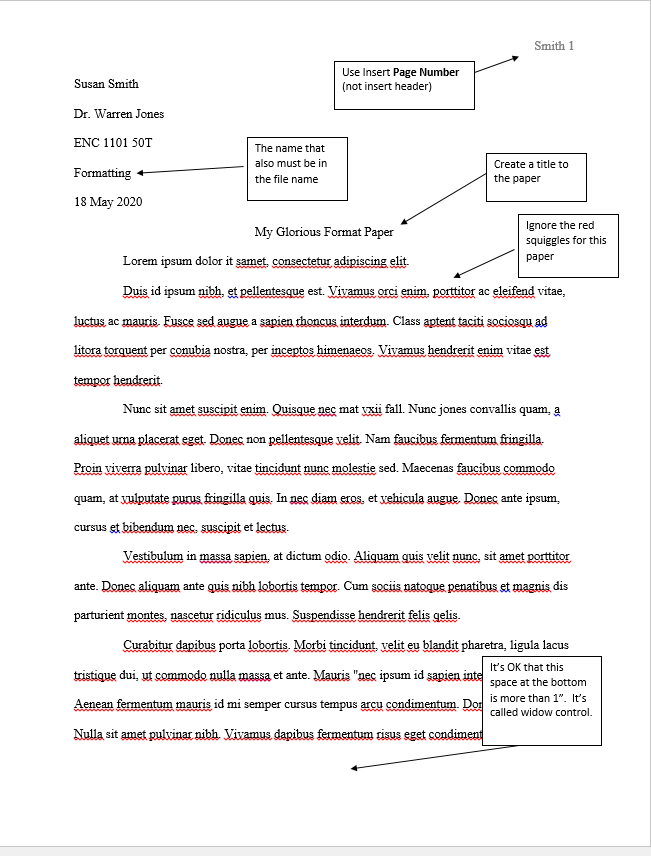
- Follow the MLA Criteria, listed below, to format the paper.
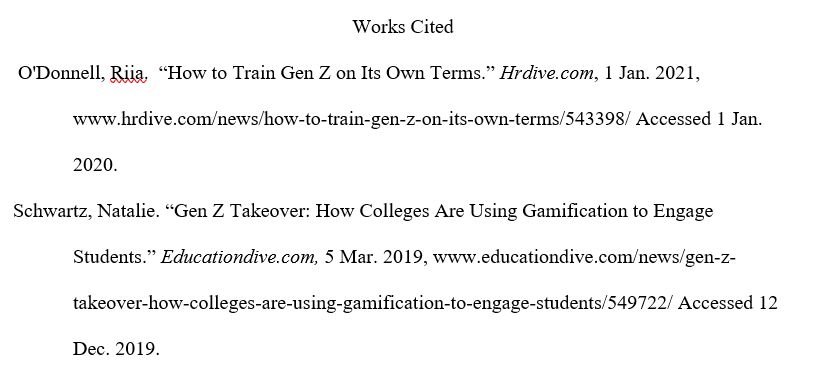
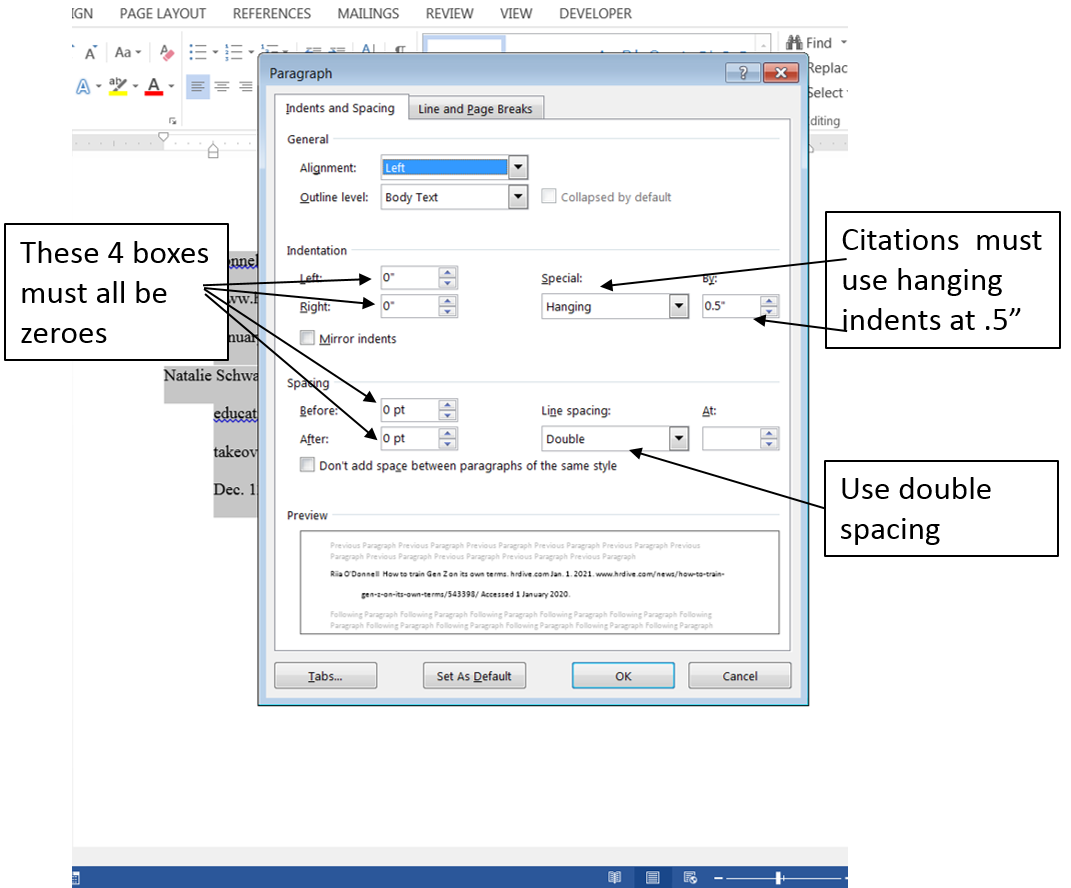
- Scrutinize every word, style, and punctuation in the Works Cited page to make sure yours is exactly like the example below.
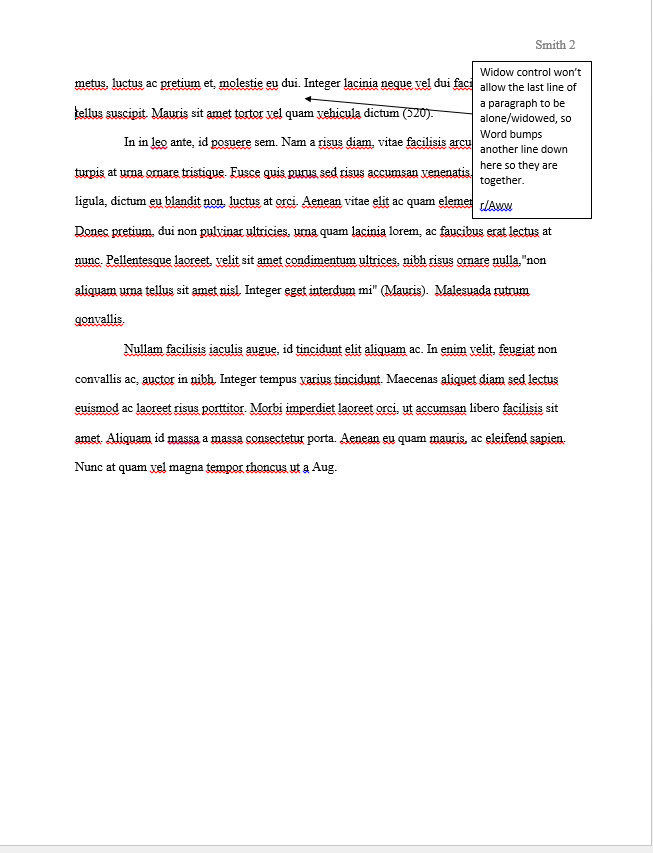
- See below for images of what a formatted paper should look like.
- Once the paper is formatted, submit the paper following the protocols for submitting assignments.
MLA Format Criteria:
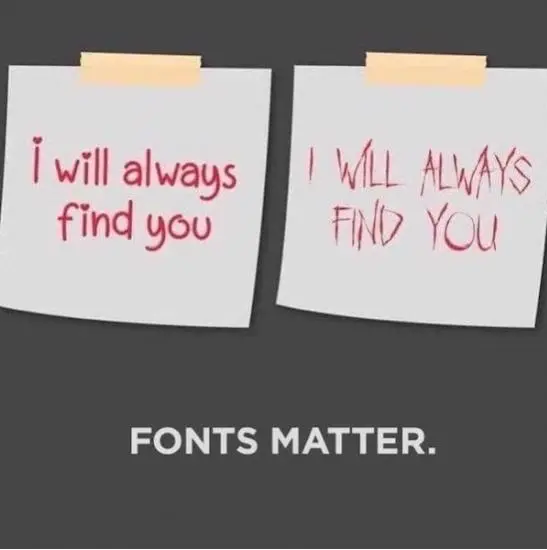
- Font-type: Times New Roman
- Font-Size: only 12 point
- Indents: first line of each paragraph of the body indents 1/2" (not five space bar clicks)
- Spacing: Double space every line in the paper (no more, no less).
- Word sets extra spacing after paragraphs; highlight all, right click, choose paragraphs,and set Spacing after Paragraphs to zero.
- Margins: 1" from all sides
- No Bold
- No Underlines
- No exclamation marks--EVER!!!!!!!!