Creating an Email Rule
Purpose:
- To create email rules to filter emails to select folders
- To make assignment exchanges more expedient
Process:
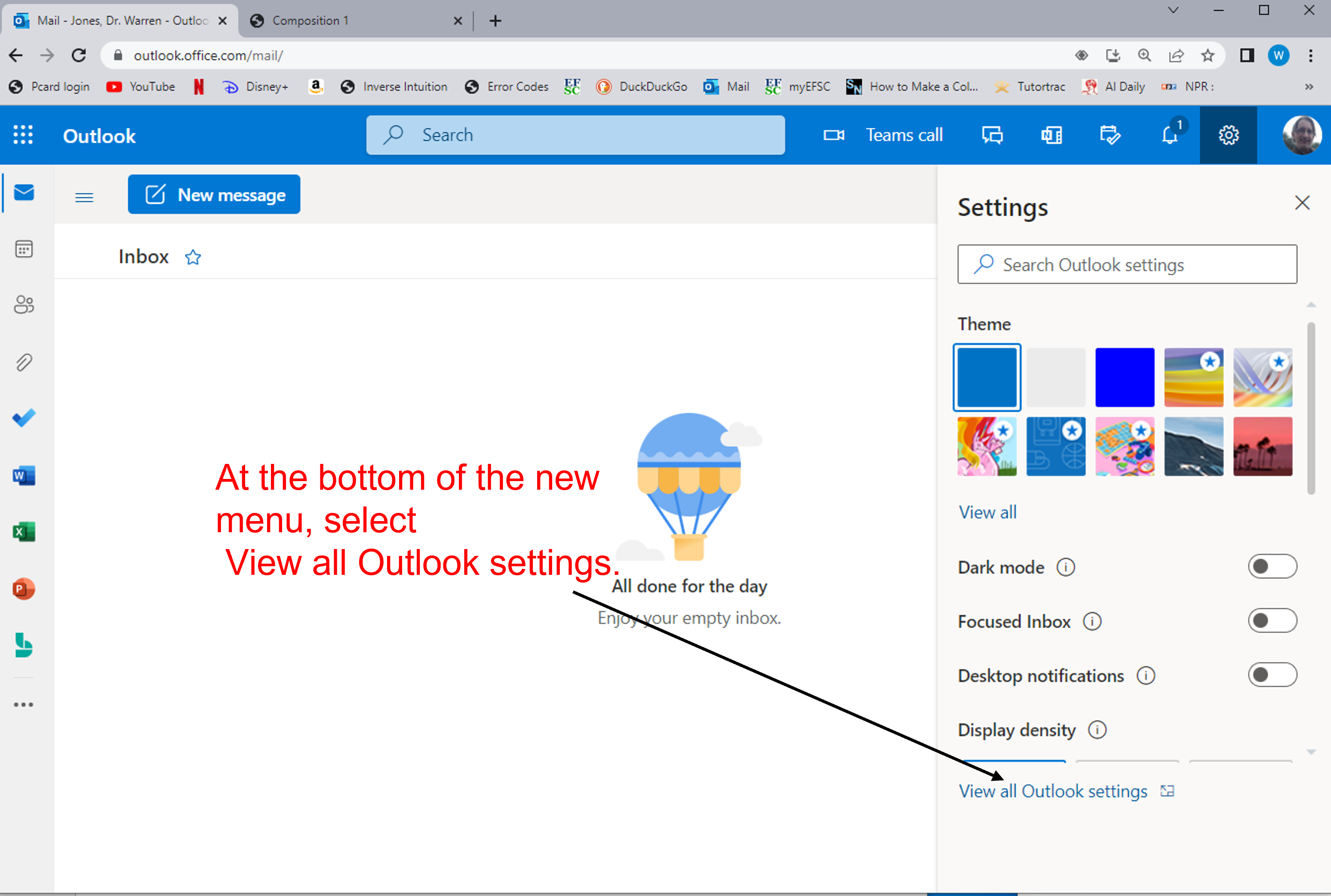
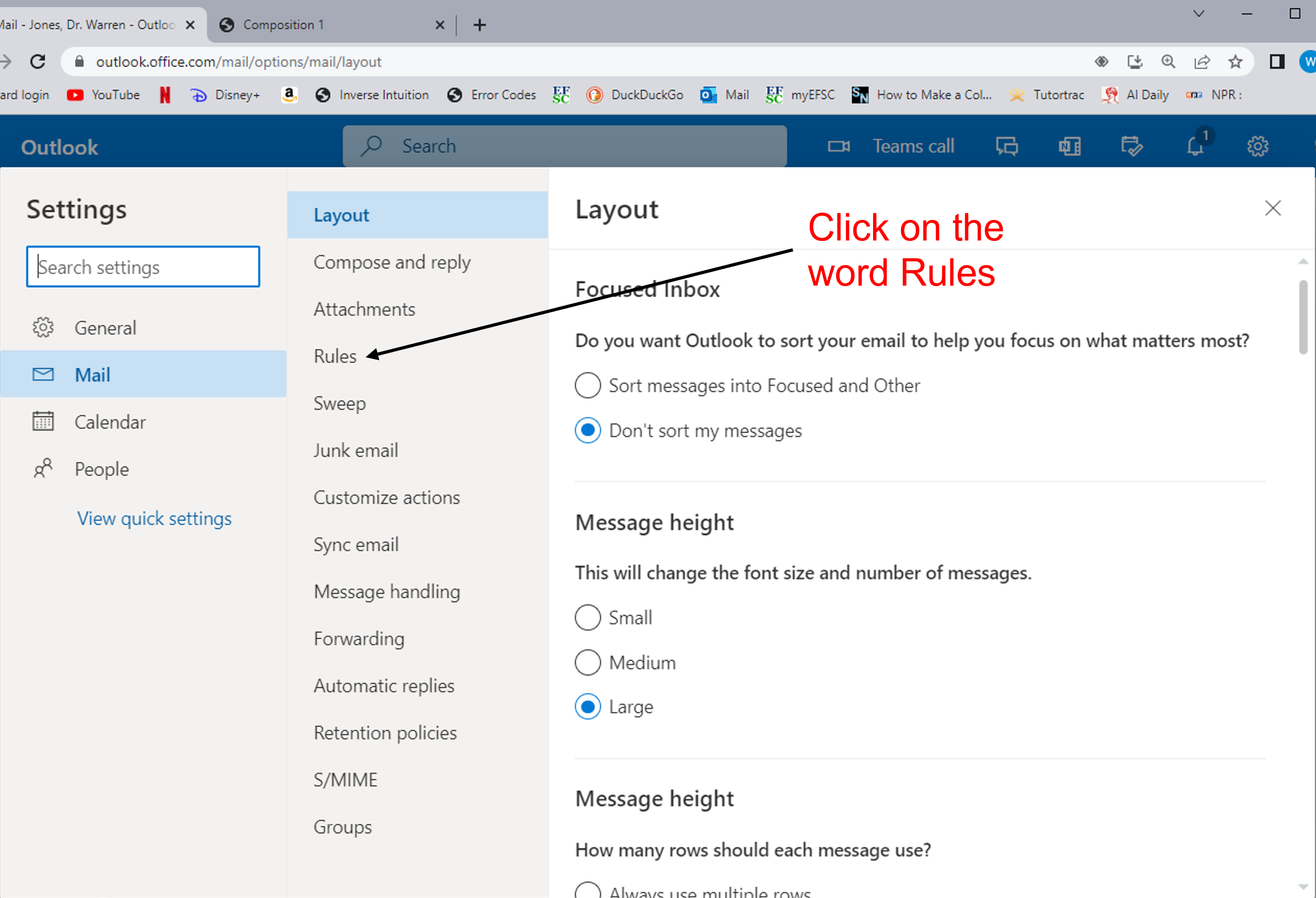
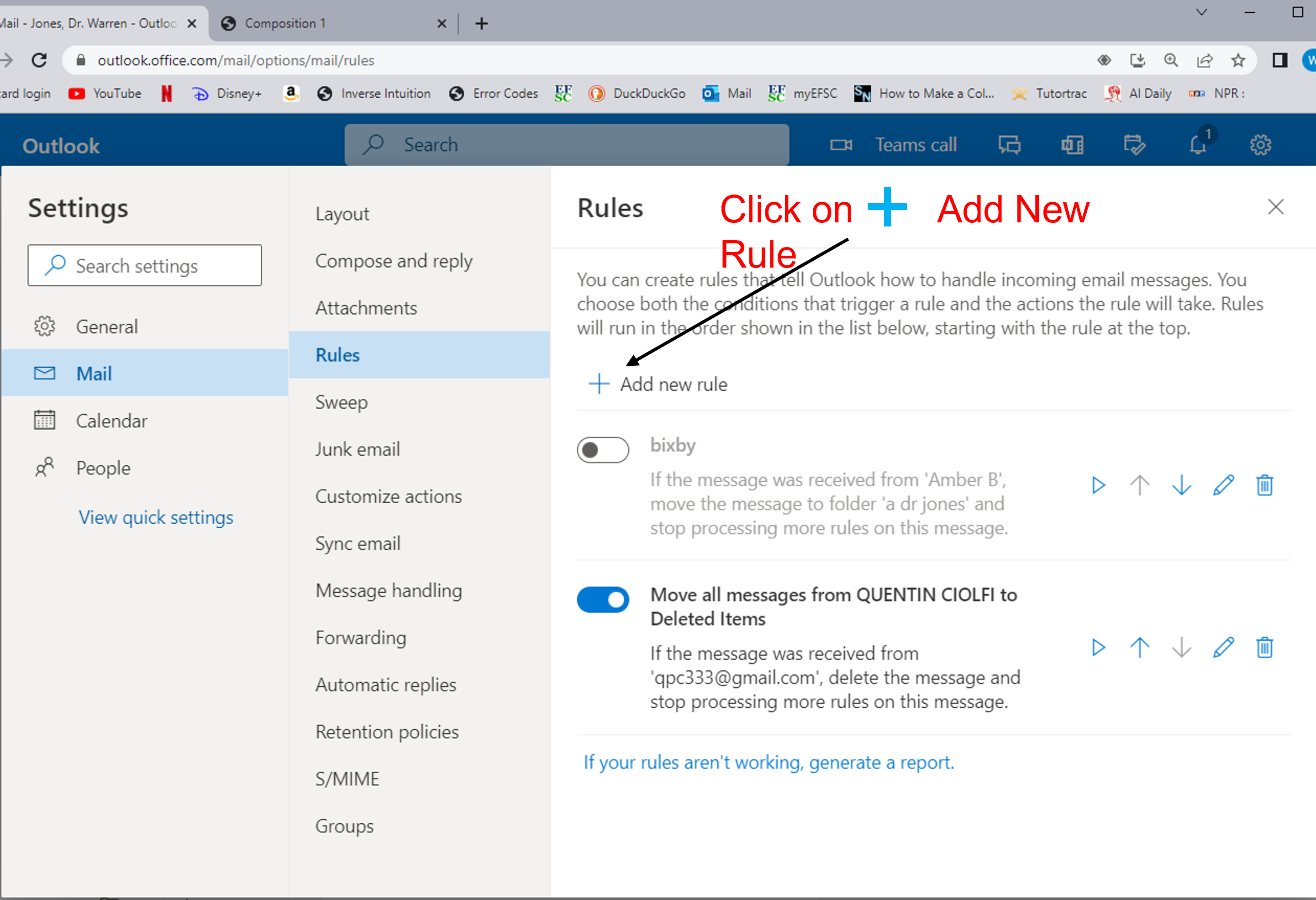
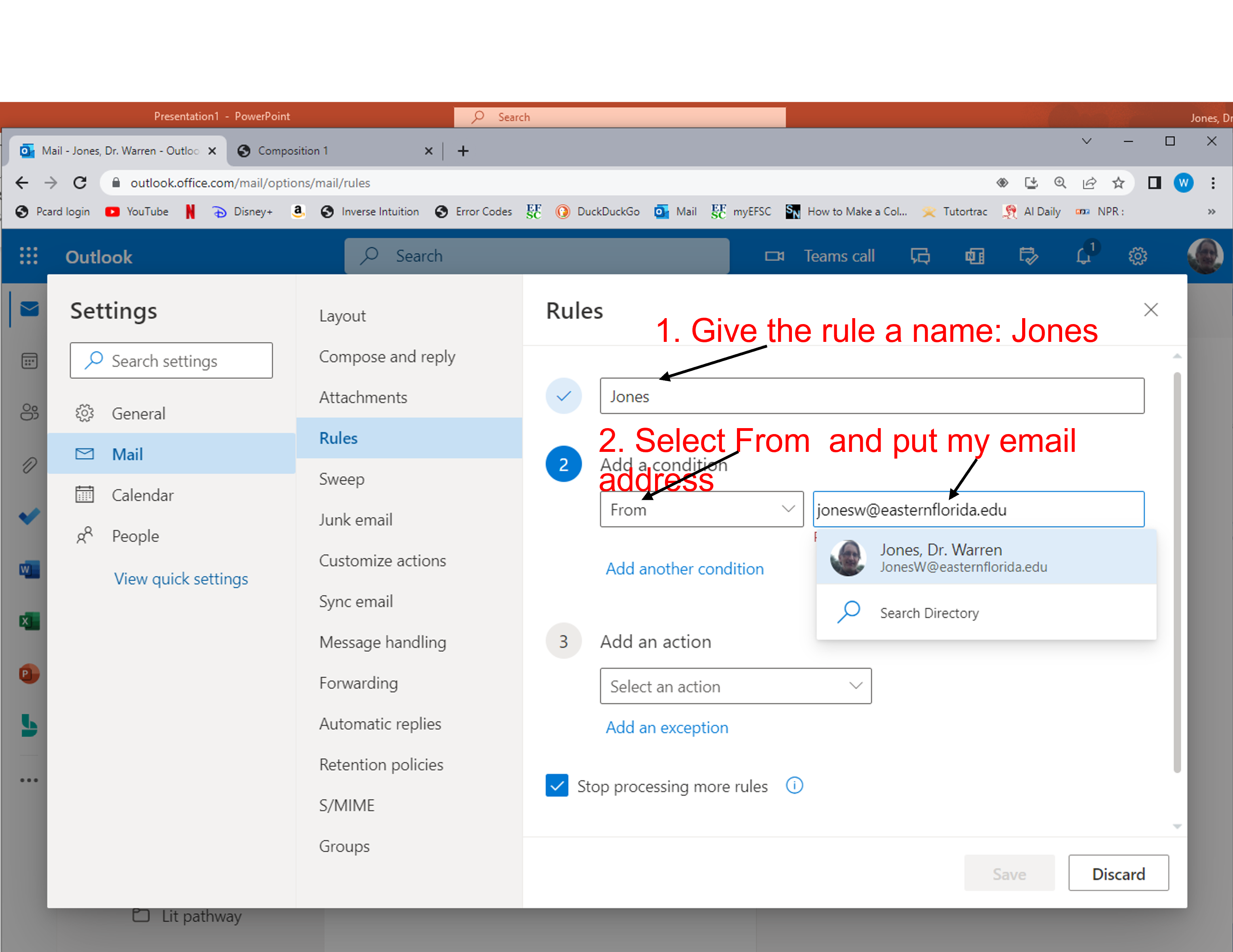
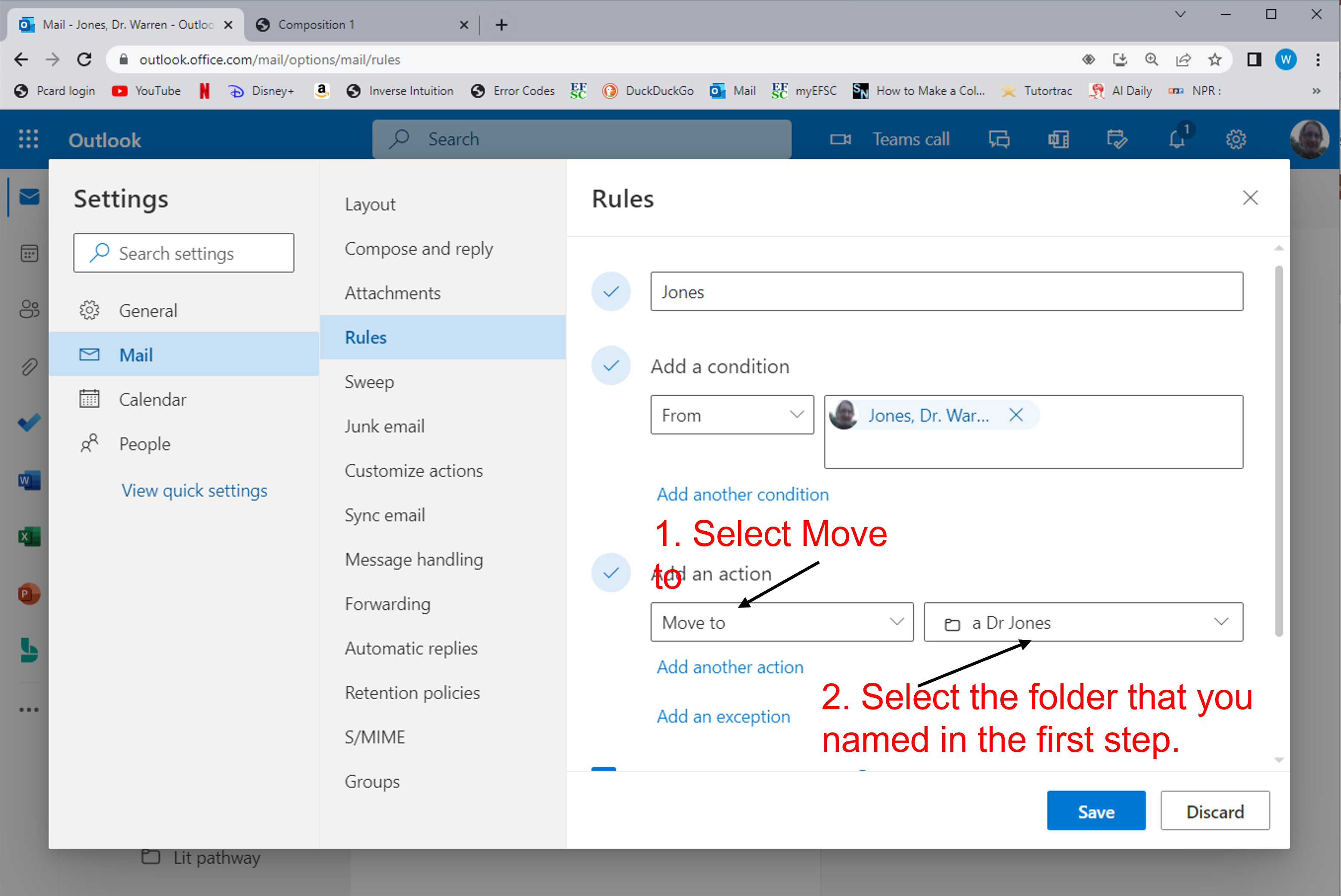
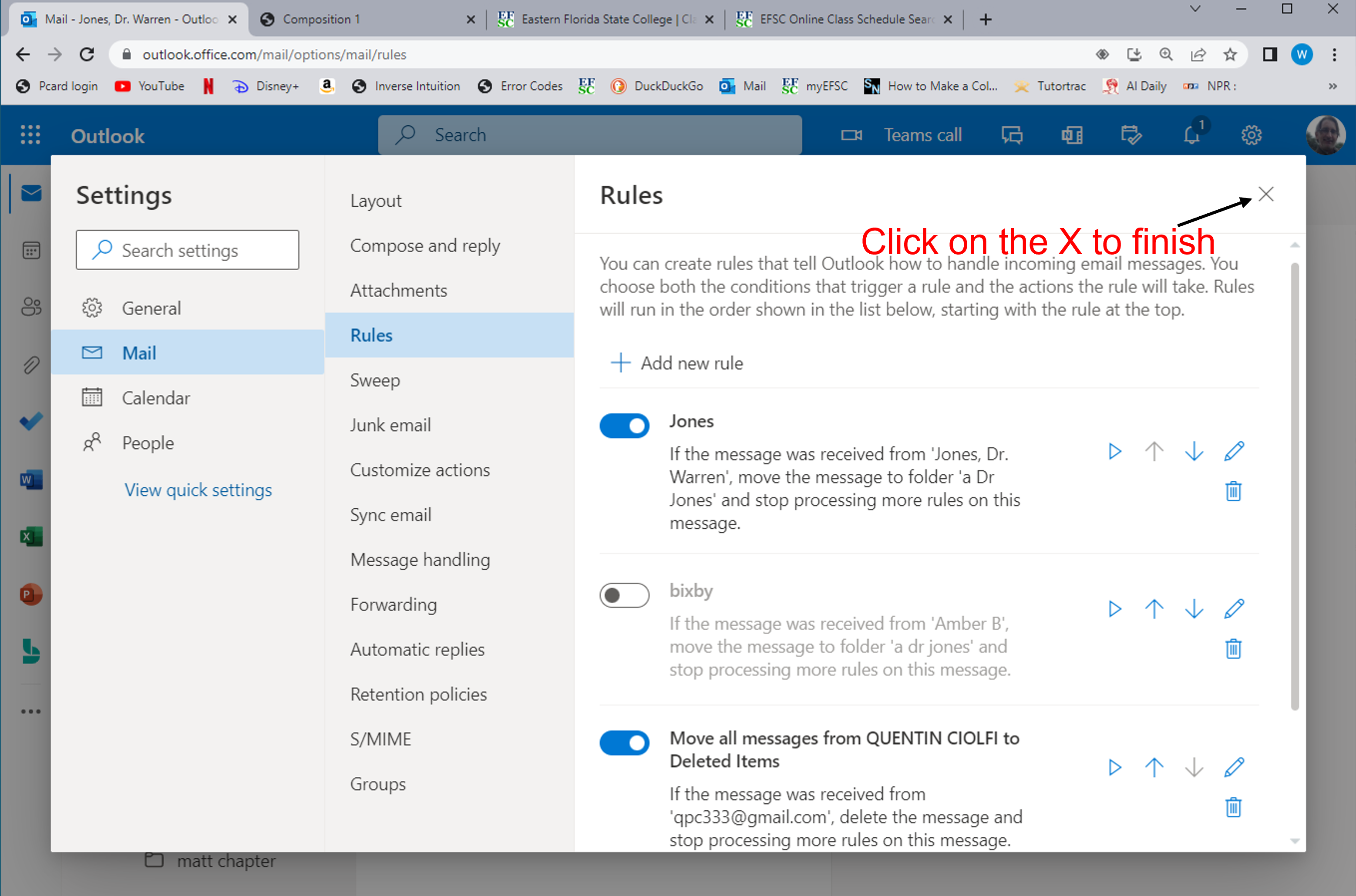
- Follow the below steps
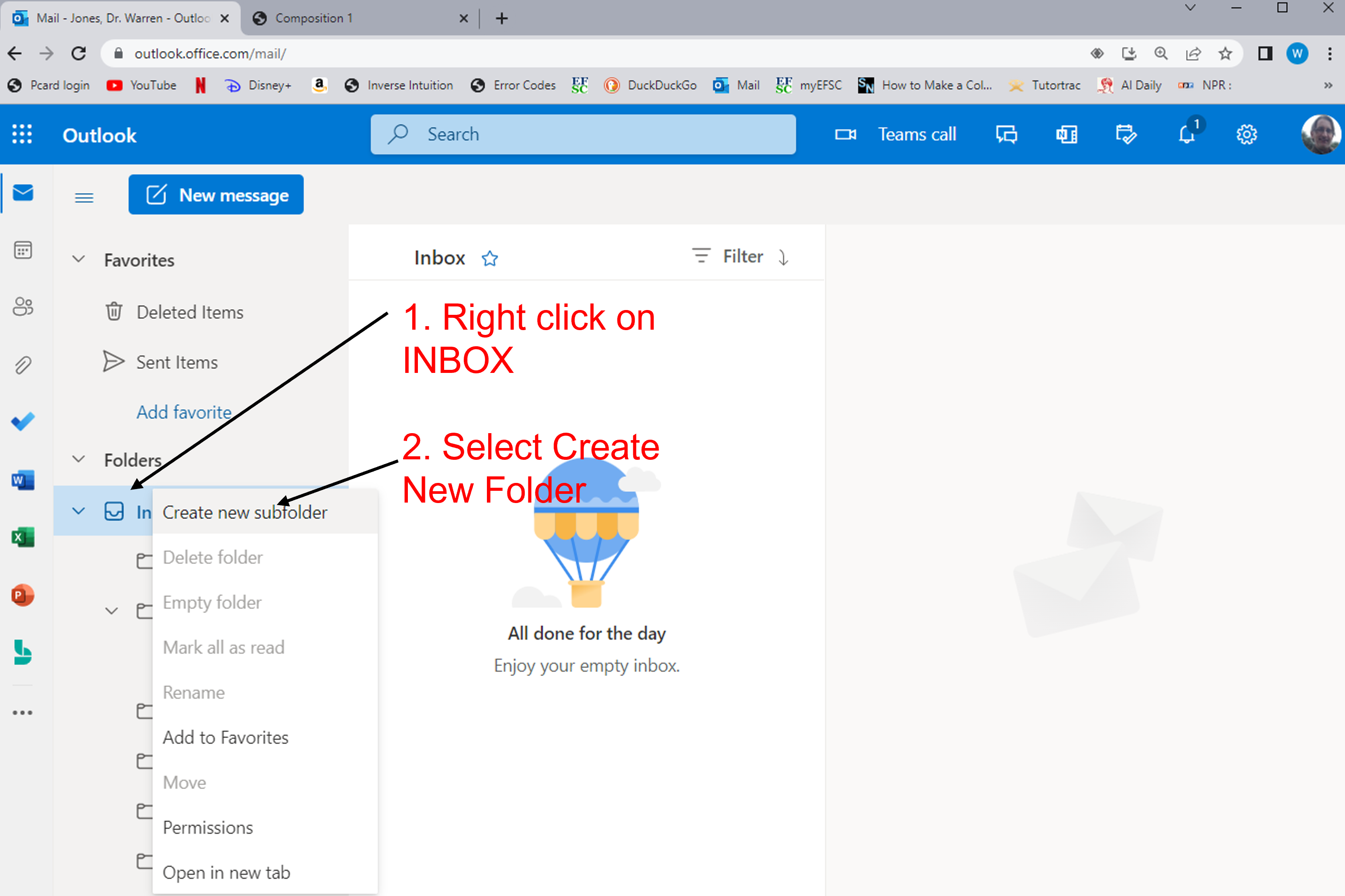
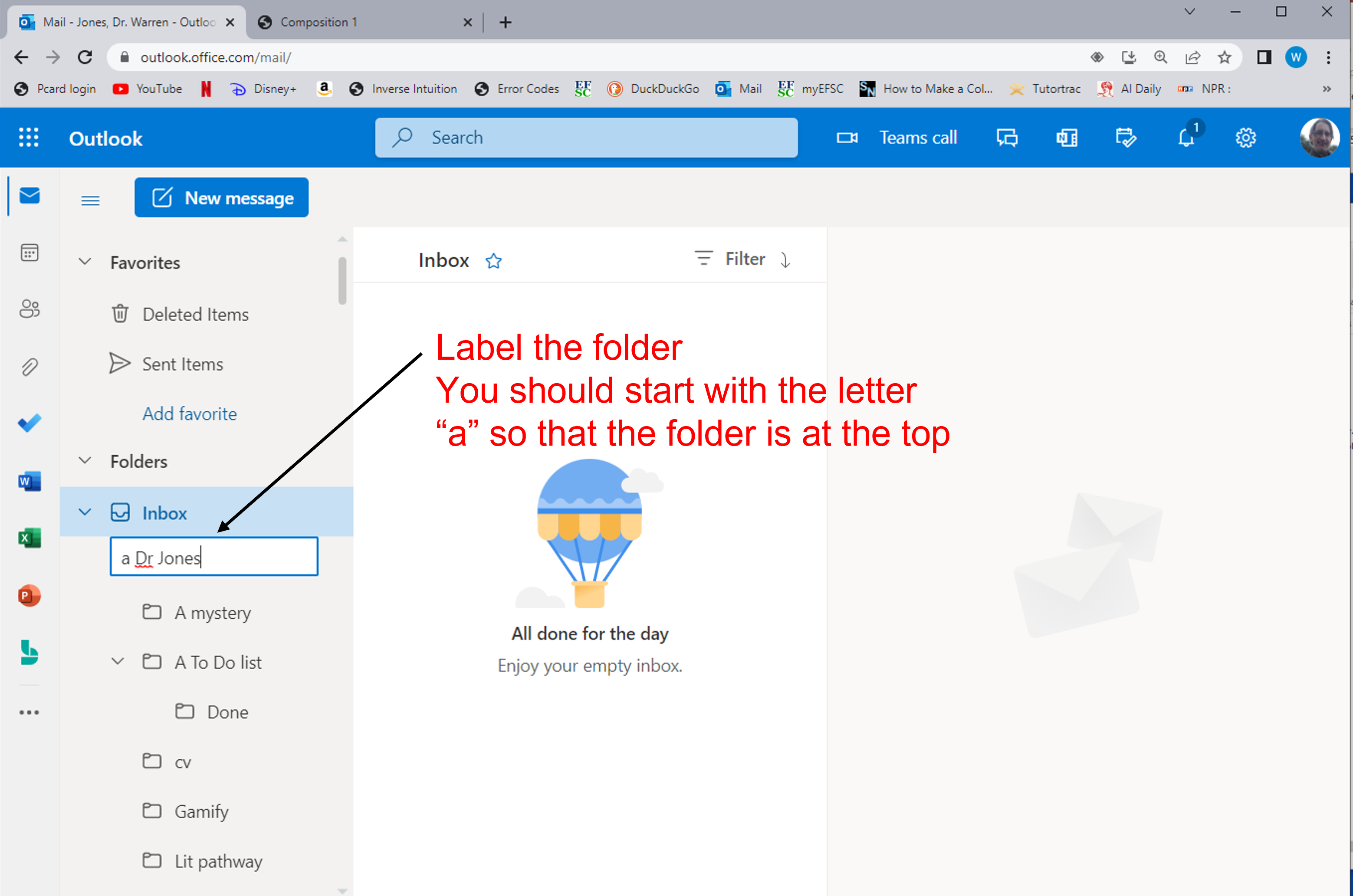
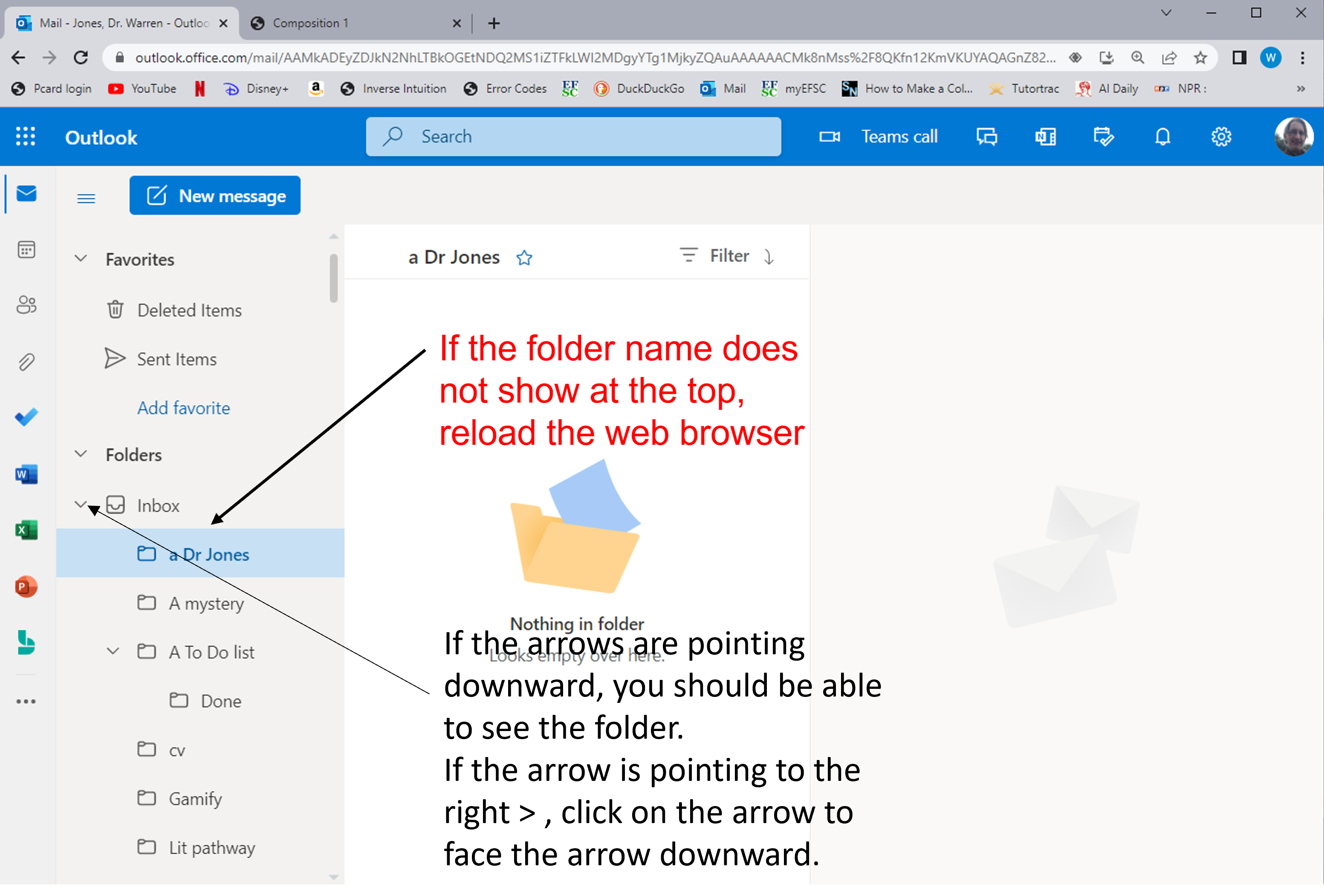
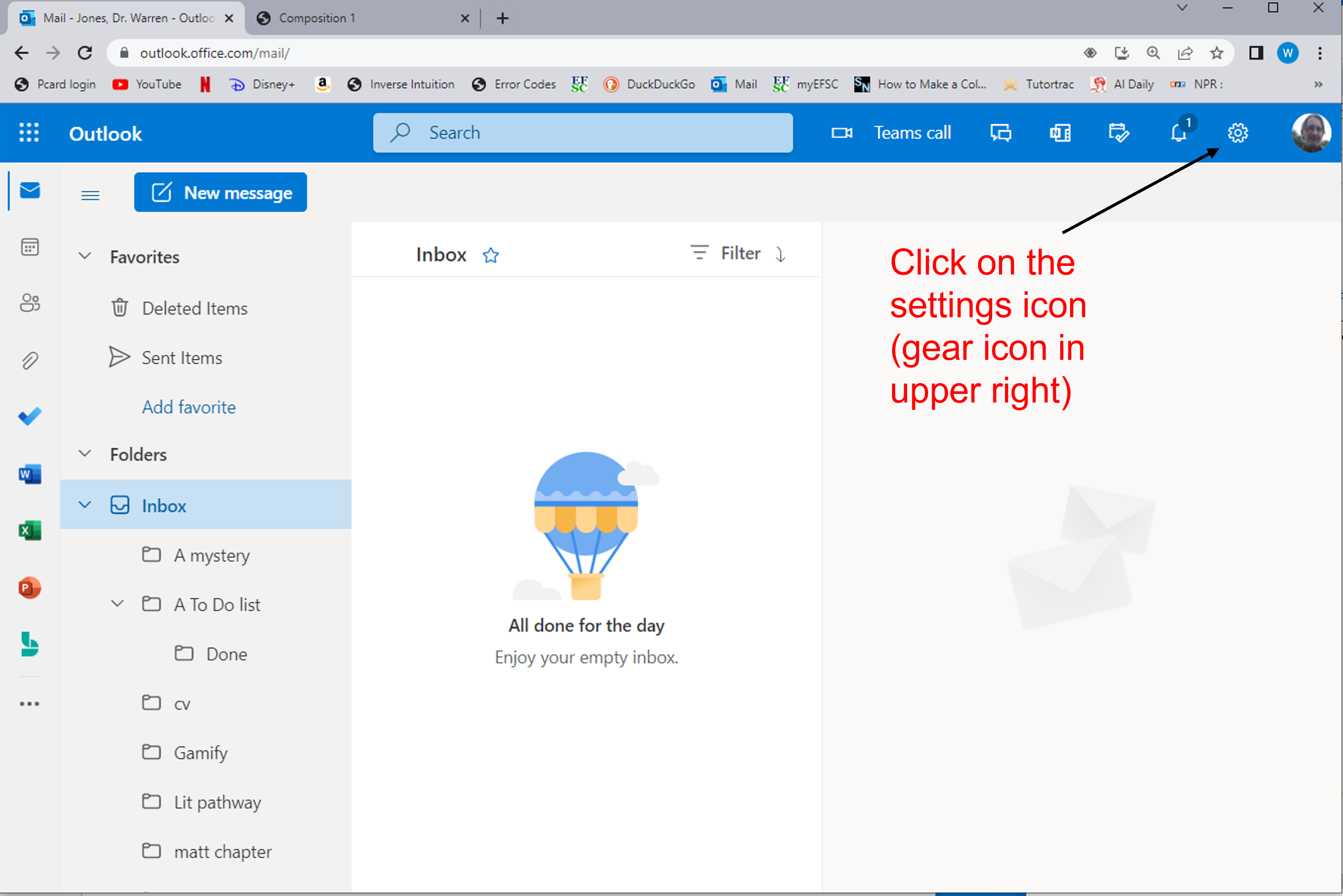
- Make two folders and two rules
- One folder and rule will be for you to easily find my emails to you
- A second folder will be for you to find emails you send yourself
Email Dr. Jones
- While in-class, send an email to Jonesw@easternflorida.edu
- Use the course number as the subject line
- Examples:
- ENC 1101
- ENC 1102
- PHI 2010
- LIT 1000
- Note the space between the three letters and the four numbersnumebrs
- In-class, Dr. Jones will reply and then verbally ask if the reply was filtered into the folder you created.